
No transcription upload
Your audiobook and recognized text stay on the device during caption generation.
All you need is the audiobook. Audimore generates synchronized English text on your Android phone—no matching ebook or supplied transcript.
Coming soon for Android.
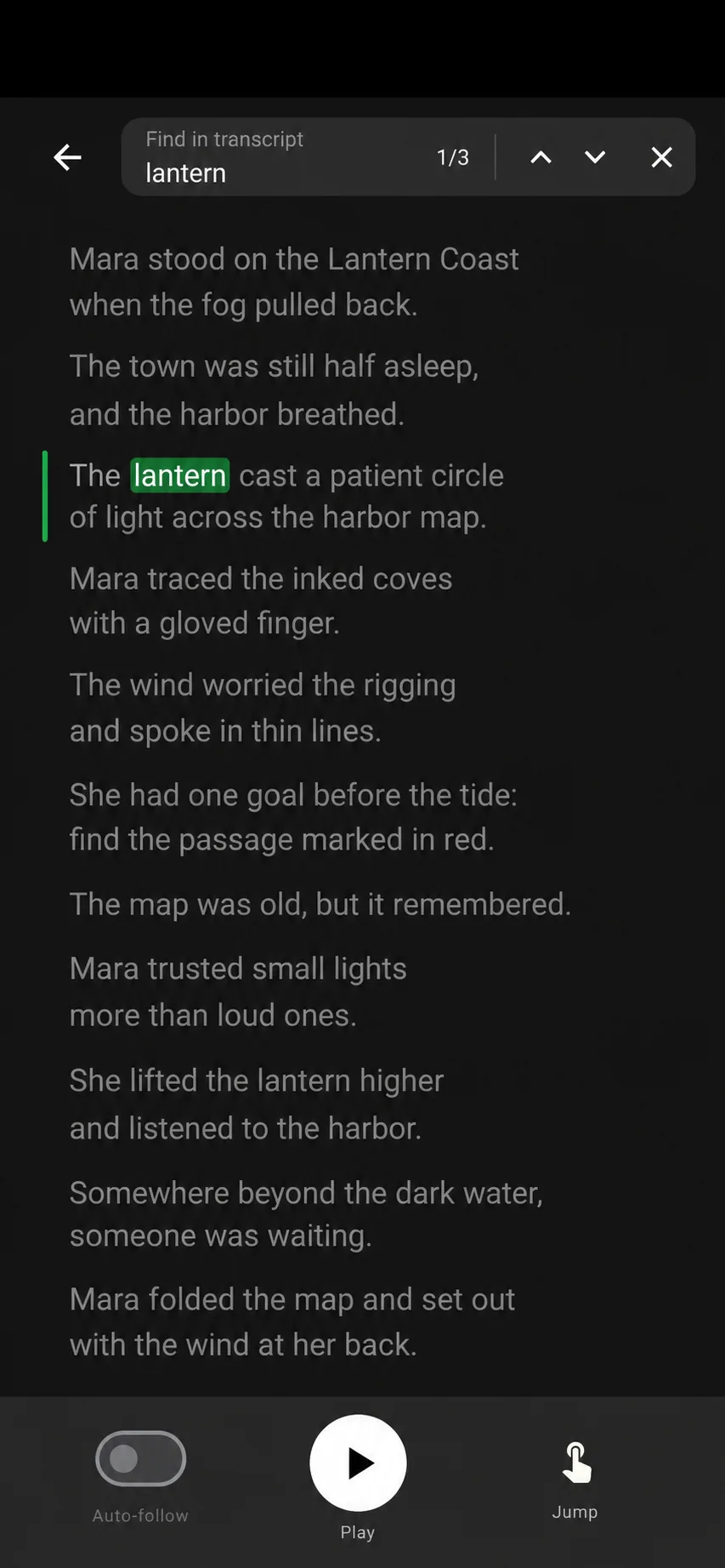
Audimore builds timed captions from the start of the book and keeps them connected to playback.
Add a compatible audiobook file you own, or download a book from a connected source.
Audimore processes the audio locally and builds timed English captions from the beginning of the book.
Read along, search any phrase, tap a passage to jump, and save the exact moments you need.
Your audiobook and recognized text stay on the device during caption generation.
The text works like subtitles for your audiobook, following the current passage as it plays.
Audimore keeps the working transcript locally and exports a VTT copy to a folder you choose.
On-device transcription avoids sending the book away, but it still requires local processing.
Yes. Audimore keeps the generated text synchronized with playback so you can follow the current passage or tap another passage to jump there.
No. Audimore can create synchronized English captions from the audiobook on your phone. If you already have a transcript, you can attach a VTT or SRT file instead.
Yes, after the transcription model is installed. Downloading the model and books from connected sources requires an internet connection.
Yes. Playback remains independent while captions are generated progressively from the beginning of the audiobook.
Audimore keeps its working transcript in local app storage and exports a VTT copy to the writable folder you select.
One email when Audimore is ready for Android.